I once lost an Amazon SAFE-T claim because of a brand logo. The returned product was clearly a fake replica, my photos were clear, and the claim was still denied.
The reason had nothing to do with the return itself. My listing image and the product I had shipped no longer matched because of the brand logo on the unit, and that was enough.

I have been running an Amazon business for the last five years and have filed a lot of SAFE-T claims in that time. Today, my claims get approved, but it took a many painful denials to learn why. In this article, I’ll share the practices that made the difference, so you don’t have to learn them the expensive way.
What Is an Amazon SAFE-T Claim?
An Amazon SAFE-T claim is a reimbursement request a seller files with Amazon when a refund on a seller-fulfilled order was not the seller’s fault. SAFE-T stands for Seller Assurance for E-commerce Transactions, and it covers cases like a returned item coming back damaged, used, or swapped for something else.
It is the main safety net for orders you ship yourself, which on Amazon India means SellerFlex / Easy Ship and Self-Ship orders. FBA orders don’t go through SAFE-T, since Amazon handles those returns and has a separate reimbursement process for them.
There are also cases where you can’t file at all. If you refunded the buyer yourself, if the refund came from a granted A-to-Z Guarantee claim, or if you refused the return shipment, the order is normally not eligible. And when the eligibility check fails, there is no appeal for it.
Why Do SAFE-T Claims Get Denied?
Here is the line I keep in my head for every claim: Amazon gives the buyer the benefit of the doubt, and gives you the burden of proof.
The person reviewing your claim has never seen your product. All they have is your listing, your photos, and a few lines of text, and they compare one against the other. Anything that doesn’t line up counts against you.
A SAFE-T claim is decided on evidence, not on how reasonable your argument sounds. The reviewer checks whether your photos and documents prove that the returned item differs from what you listed and shipped. This means a perfectly genuine claim can still fail if your proof has a gap in it.
Now, the frustrating part. The SAFE-T team will not tell you most of this. Most rejections are very generic, and this is the reason I received on the claim I mentioned at the start:
“Reason: You may have provided images with your SAFE-T claims that are not in accordance with Amazon policies, or misused the SAFE-T claims policy.”
That one sentence could mean almost anything. It doesn’t say which image, which policy, or what to fix, and you are left to work out for yourself what went wrong. That silence is exactly why I’m writing these practices down.

Your Listing Must Match the Product You Ship
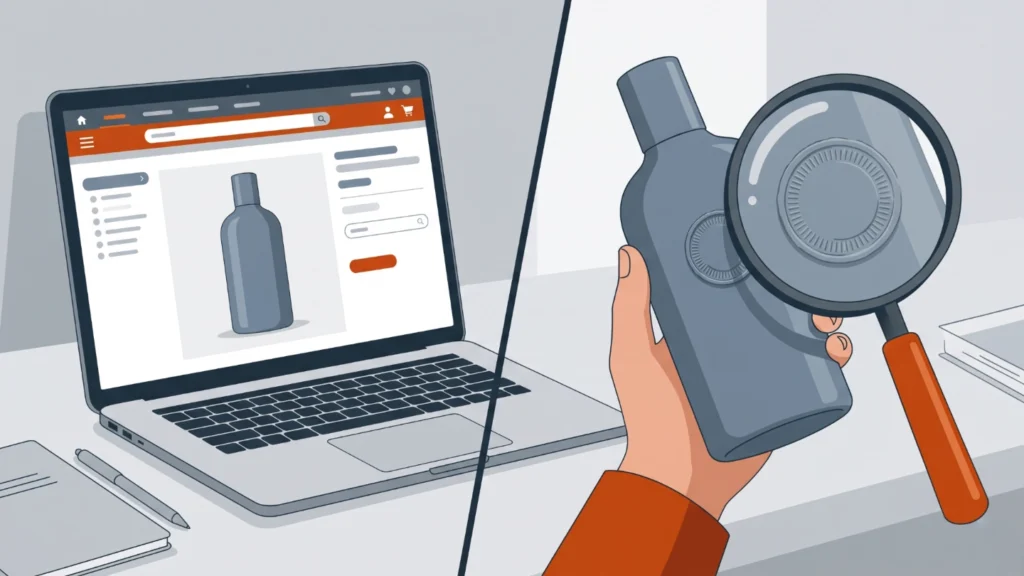
This is the practice most sellers never think about, and it is the one that cost me a claim.
We had updated one of our products to carry our brand name embossed on the front. There was a reason for it. I had been receiving used units as returns from customers who had never purchased from us before. The units looked identical to ours, but on a first purchase, a clearly used unit could not be the one we had just shipped.
Some of them were even made of lower quality material, though the design was the same. So customers were sending back a similar-looking unit from another seller in place of ours, and I needed a way to tell our units apart from the rest.
So the change was made to protect us on returns. The new stock went out, and we missed one thing: the listing images still showed the old version without the embossing.
Some time later, a return came back in bad shape, without the embossed brand logo and I filed a SAFE-T claim with photos of the product. The claim was denied. The shipped product in my photos had an embossed brand name, the product in my listing did not, and so the image no longer represented what I was selling.
Nobody explained it to me in those words. All I got was the generic line about images not being in accordance with Amazon policies, and I had to put the listing and the product side by side before I saw what the reviewer saw.
Think about it from their chair. If the listing shows one thing and your evidence shows another, they cannot tell whether the buyer swapped the product or you shipped something different from what you advertised. The benefit of the doubt goes to the buyer.
So, whenever anything about the product changes, the listing has to change with it. Here is what I check now:
- Images – every photo shows the current version, including logos, embossing, and labels.
- Colour and finish – the shade in the photos is the shade in the box.
- Packaging – if the box or pouch appears in the listing, it is the current one.
- What’s in the box – the bullet points list exactly what ships, no more and no less.
- Size and model details – dimensions, weight, and model numbers match the physical unit.
A listing mismatch can sink a SAFE-T claim even when the return is clearly damaged. Amazon treats the listing as the reference for what the buyer should have received. This means you update the listing first, and ship the new version second.
One Denied Claim Can Block the Rest of the Quarter

That denial was not the end of the damage, and this is the part most sellers find out about too late.
If Amazon finds a confirmed fault on the seller’s side, it can bar that seller from filing SAFE-T claims for the rest of the running quarter. That is what happened to me after the brand name claim. From then on, every claim you file gets rejected with a message saying you have reached your limit of SAFE-T claims.
So one careless mistake doesn’t cost you one claim. It can cost you every claim for the next few weeks, including the perfectly genuine ones. That is the strongest reason I know to get the listing and the evidence right the first time.
I’ll come back to this later, because the bar went on to hit two more of my claims.

Build the Evidence Before You Need It
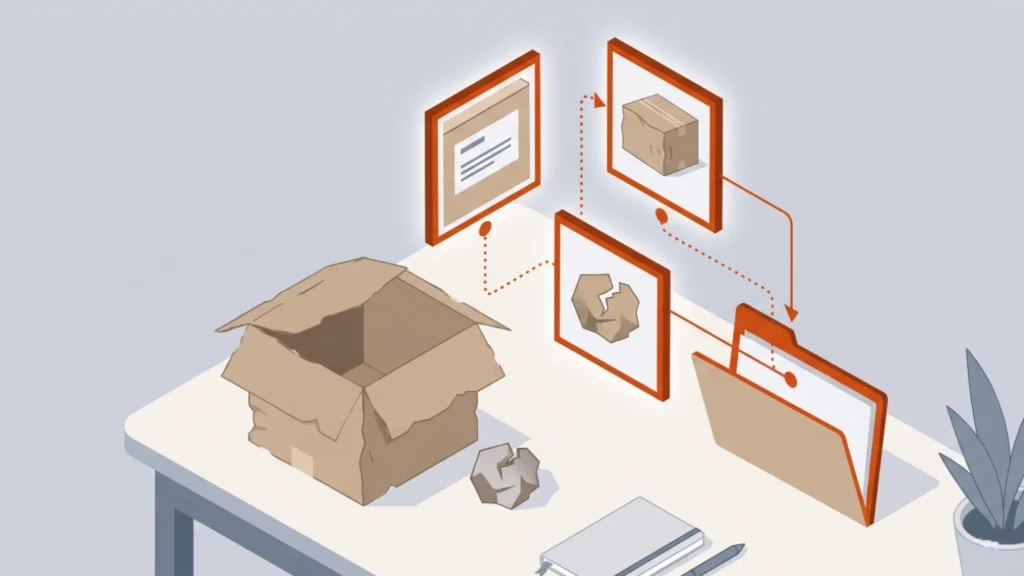
A claim is really a file of evidence, and half of that file gets created before the return ever arrives. So I record two videos for my orders, one on the way out and one on the way back.
At dispatch – I make a packaging video for the orders I ship, with the product and the shipping label visible, and I keep those videos for up to six months. It sounds like a lot of storage for something you rarely need. But when a buyer returns a different item, that video is the only proof of what actually left my hands.
When the return arrives – I make a second video while opening the return package, so I have it ready if a SAFE-T claim is needed. Start recording before you cut the tape, and show the return label and all sides of the parcel first. Capture the label clearly, because an unreadable label is a common reason for denial.
After opening – take photos of the item from several angles, and show the damage or the difference up close. A side-by-side shot with a new unit works very well, since it shows the reviewer the gap without making them guess.
Keep the returned item and its packaging until the claim is closed. Amazon can ask for more information, and you can’t photograph a box you have already thrown away.
There is one step before the unboxing as well: how you take the package from the delivery person. That handover decides a lot of claims, and it needs its own guide.
How I Store the Packaging Videos
Recording a video for every order only helps if you can find the right one months later. I tried to keep this as light as possible, because a folder for every order becomes cumbersome to manage very quickly.
So I create one folder per month, and all the packaging videos for orders shipped in that month go into it. Each video is named as DDMMYYYY-XX, where the first part is the ship date and XX is simply the running number of the order packed that day. The third order packed on 10 November 2026 becomes 10112026-03.
When I need to file a SAFE-T claim, I check the ship date of the order in Seller Central, open that month’s folder, and go to the videos for that date. It takes a minute or two to find the right one, and after six months the oldest folder gets deleted.
Amazon Checks More Than What Your Photos Show
Here is something I only understood after reading enough rejections. The SAFE-T team doesn’t just look at your images and videos. It also looks at the details behind them, like when a file was created and whether it has been used before.
I know this because of the issues Amazon lists in its denial messages:
- The same images were used for SAFE-T claims on earlier orders.
- The images filed for the claim were taken before the return date.
- Different seller accounts submitted the same images on more than one claim.
- Any other violation of SAFE-T or Amazon policies.
The second point is the one that catches honest sellers. A photo of a returned item cannot be older than the return itself, so a catalogue image or an old photo of a similar damaged unit will get flagged.
Amazon compares the images and videos in a SAFE-T claim against previous claims and against the return date. Reused or older files get treated as misuse of the policy, even when the damage they show is real. This means every claim needs fresh photos and video, taken after that specific return reached you.
So, these are the rules I follow for every claim:
- Shoot fresh for each return – never reuse a photo from an earlier claim, even for the same product and the same damage.
- Shoot after the return arrives – the returned-item photos and video must be dated after the return delivery.
- Upload the original files – I’d avoid screenshots, edited copies, or files forwarded through chat apps, since those can lose or change the original date details.
Stay Honest, Because Amazon Has Its Own Photos
All of this cuts both ways, and it would be unfair to write about SAFE-T claims without saying it.
In the case of a customer return, Amazon usually has photos of the item taken when it was picked up from the customer. So it can compare those photos with your SAFE-T claim and see whether the item you are showing matches the item that was actually collected.
That comparison is usually not the reason a claim gets rejected. But it can put a seller in real trouble if the claim is dishonest. Showing a different item, or damage that was not there at pickup, is exactly the misuse of the policy that gets a seller barred.
It helps to remember why these policies exist in the first place. SAFE-T is there to protect the seller from a loss they did not cause. It is one of the few protections a seller has on the marketplace, so we should respect it and use it honestly.
In my experience, Amazon also understands an honest mistake. My missing brand name was one, and as you’ll see later, the bar it caused was lifted once I had fixed the listing and explained what happened. What Amazon has a real problem with is intentional misuse of the policy, and that is where sellers get into serious trouble.
So file only what is true, and show the return exactly as it arrived. An honest claim with average evidence is safer than a clever one, and every practice in this article works only if the claim behind it is genuine.

How to File a SAFE-T Claim Step by Step
Filing itself takes only a few minutes once the evidence is ready.
- In Seller Central, go to Orders > Manage SAFE-T Claims.
- Click File a new SAFE-T claim and enter the order ID.
- Run the eligibility check for that order.
- Select the reason that matches your case most closely.
- Describe what happened and state what you want reimbursed.
- Attach your photos, video, and documents, then submit.
Two things matter here more than they seem. First, pick the reason carefully, since your evidence gets judged against the reason you chose. Second, keep the description short and factual: what you shipped, what came back, and which photo proves it.
Amazon’s own post on SAFE-T claim steps and best practices is worth reading once, and its main advice on photos is simple: include lots of them. If possible, include the forward shipping packaging video and return package unboxing video also in the claim.
Don’t sit on a claim either. The filing window is short and it differs by marketplace. In the US it dropped from 60 days to 30 days in February 2026, and sellers on Amazon India gets 15 calendar days from the date the return is marked as delivered or refund processed, whichever is later. So check the current policy in your own Seller Central rather than trusting any number you read on a blog, including this one.
What to Do When a SAFE-T Claim Is Denied

A denial is not always the end, but you get very little room to recover.
You can appeal a SAFE-T decision only once, and the window is about a week. The exact deadline shows as an “Appeal by” date on the Manage SAFE-T Claims page, so go by that date. Amazon’s decision on the appeal is final.
Since you get one shot, don’t just repeat the same claim in stronger words. Read the denial slowly, then go back and compare your listing, your photos, and the returned item the way a stranger would. Find the gap, and use the appeal to fill it with new evidence.
Though, I’ll be honest about the limits. Some denials stay denied no matter how good your file is, and the short replies make it hard to know which ones are worth the fight. The practices above don’t remove that uncertainty. They just make sure the avoidable denials stop happening.
RTO vs Customer Returns: Know Which One You Are Claiming
There are two types of returns on Amazon, and they are not the same kind of claim.
A customer return is a parcel the buyer received, opened, and sent back. An RTO (Return to Origin) is a parcel that never reached the buyer at all, because the delivery failed or the order was cancelled on the way, so it travels back to you unopened.
That difference matters a lot. In a customer return, the buyer handled the product, so the question is what the buyer did with it. In an RTO, the buyer never touched it.
If you ship through ATS (Amazon Transportation Services, the courier network behind Easy Ship), an RTO parcel stays inside Amazon’s own logistics from pickup to return. No customer ever held it. So if it comes back damaged, tampered with, or with something missing, Amazon is fully responsible for that package.
This is also where the packaging video earns its place. It shows the parcel as I handed it over, and the return video shows how it came back. Whatever happened in between happened in Amazon’s hands.
The Claim Limit Doesn’t Cover RTO Losses
Remember the bar on filing claims for the rest of the quarter? Here is the part I want you to remember about it. That bar doesn’t absolve Amazon of what happens to your RTO packages.
In my experience, theft happens at two levels. Sometimes it is the customer, who sends back a different or used item. And sometimes it happens inside the courier network, before the parcel ever reaches a customer or on its way back to you.
When the loss happens inside ATS, the claim limit is beside the point. Amazon carried that parcel, and you paid Amazon for the shipping, which makes you the customer of ATS for that service. A mistake in a listing image has nothing to do with what a courier did to a sealed parcel.
When Two of My RTO Claims Were Denied
I didn’t have to wait long to test that argument.
After the brand name denial, the SAFE-T claims for two of my RTO packages were rejected as well. The packages had never reached a customer and the evidence was complete. They were turned down anyway with the limit reached message, because of the earlier image mismatch and not because of anything in the claims themselves.
So I wrote an email with all the details, including the SAFE-T claim IDs, and sent it to Amazon’s senior leadership. Both claims already carried the packaging video and the return unboxing video, so anyone opening them could see the whole story. I explained that these were RTO parcels handled only by ATS, and that for the shipping, I was Amazon’s paying customer. I honestly did not expect a reply.
To my surprise, I got a response, and their escalation team was asked to look into both claims. The team reviewed them and approved both.
They also lifted the bar for that quarter. By that time I had understood the issue and had already updated the listing image to show the brand name on the product, so the fault that caused the bar was gone.
Now, I would not treat this as a regular route. It is a last resort for a claim where you are clearly in the right and the normal process has failed you. And it only works if your email is an evidence file: the order IDs, the SAFE-T claim IDs, claims that already hold your videos, and a short, calm explanation of why the denial is wrong.
Looking back, one outdated listing image cost me three denials, and it happened on a change I had made to protect my returns. The original brand name claim stayed denied, and fairly so, since by Amazon’s policy the fault was mine. The two RTO claims were recovered only because the packaging and unboxing videos were already sitting in those claims to prove my case.
The Best SAFE-T Claim Is the One You Never File
Getting claims approved is good. Needing fewer of them is better.
In my first year, I was filing 30 to 35 SAFE-T claims every month. Today that number is under 10, and most of the drop came from fixing things upstream: better packaging, accurate listings, and clear product information that sets the right expectation for the buyer.
Every return you prevent is a claim you don’t have to prove. Returns and claims are also part of the real cost of selling on Amazon, which I broke down in my comparison of a marketplace vs your own online store.
FAQ About Safe-T Claim
How long do I have to file a SAFE-T claim?
The SAFE-T filing window depends on your marketplace and is short everywhere. US seller-fulfilled orders have 30 days as of February 2026, while Amazon India sellers are typically quoted 15 calendar days from the return being marked as delivered. Always confirm the current window in your own Seller Central.
Can I appeal a denied SAFE-T claim?
A denied SAFE-T claim can be appealed once, within roughly seven days of the decision. The exact “Appeal by” date appears against the claim in Manage SAFE-T Claims. Use the appeal to add new evidence, since Amazon’s decision on it is final.
Are FBA orders eligible for SAFE-T claims?
FBA orders are not eligible for SAFE-T claims. SAFE-T covers seller-fulfilled orders, such as Easy Ship and Self-Ship on Amazon India. For FBA, Amazon handles the return and reimburses you through its separate FBA reimbursement process.
What evidence do I need for a SAFE-T claim?
The evidence that matters most is clear photos of the return package, the return label, and the returned item from several angles. Add an unboxing video, plus an invoice or serial number record if you have one. Make sure all of it matches your live listing.
Why was my SAFE-T claim denied without a reason?
SAFE-T denials usually come with a short, generic message rather than a detailed explanation. The most common causes are unclear label photos, reused or older images, a late filing, or a listing that doesn’t match the product in your photos. Compare your listing and your evidence side by side to find the gap.
Why does Amazon say I have reached my limit of SAFE-T claims?
The limit reached message usually follows a claim where Amazon found a confirmed fault on the seller’s side. Amazon can then bar the seller from filing SAFE-T claims for the rest of the quarter, and later claims get rejected with that message. Fix the original fault, such as a listing mismatch, before filing again.
Can I file a SAFE-T claim for an RTO package?
An RTO package can be claimed through SAFE-T when it comes back damaged or with items missing. Since an RTO parcel never reached the buyer, the damage happened in transit. If Amazon’s own courier network carried it, a packaging video and a return video make a strong case.
Can I reuse photos from an earlier SAFE-T claim?
Reusing photos from an earlier SAFE-T claim is one of the issues Amazon lists when it denies a claim. Amazon also flags images taken before the return date. Take new photos and a new video for every return, after it has been delivered back to you.
Final Thoughts
A SAFE-T claim is won before the return arrives: by a listing that matches the product, and by evidence you collected along the way. Amazon won’t tell you where your claim fell short, so your process has to leave no gap to find.
If you sell on Amazon, open your top listing today and hold the product next to the images. If you spot a difference, fix it before your next return does it for you.
Have you had a SAFE-T claim denied for a reason you never figured out? Share it in the comments, and I’ll tell you what I would check first.