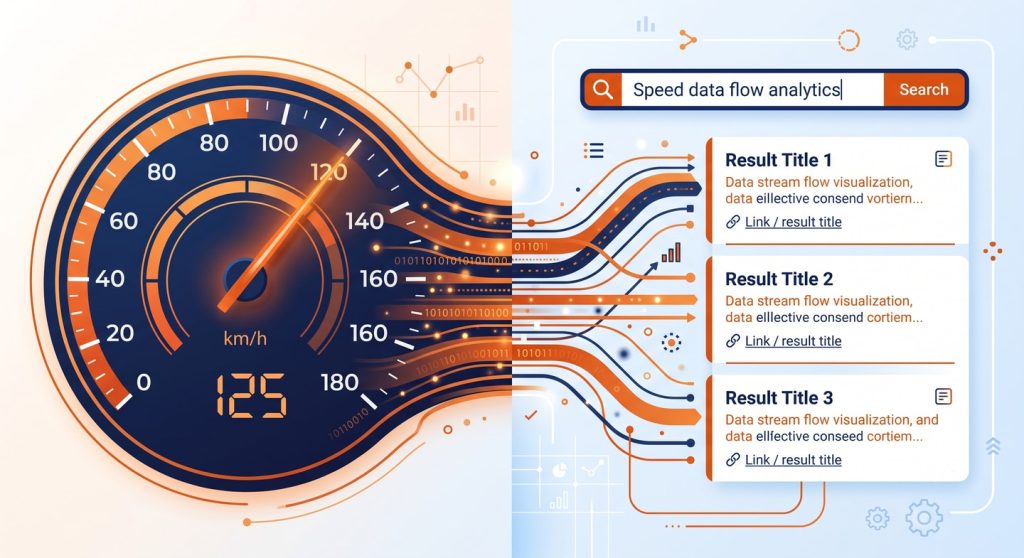
I have been running MetaBlogue on WordPress for a while now, and if there is one lesson that keeps proving itself, it is this — a slow WordPress site bleeds rankings. Not dramatically, not overnight, but steadily. Every fraction of a second your pages take to load is a small tax on everything else you do for SEO.
The thing is, speed and search optimization are no longer separate checklists. Google has made that explicit with Core Web Vitals, and now AI-powered answer engines like Perplexity and ChatGPT Search have added a whole new layer on top. If your WordPress site is slow, it hurts your traditional rankings and your chances of being cited by AI.
This is Part 1 of an 11-part series where I will walk you through everything — from hosting and caching to on-page SEO and Answer Engine Optimization. But first, let’s establish why speed and SEO are fundamentally connected, and how to measure where you stand right now.
Table of Contents
What Is WordPress Speed and SEO?
WordPress speed and SEO is the practice of optimizing a WordPress site’s loading performance alongside its search visibility, treating both as a single discipline rather than separate tasks. Google’s Core Web Vitals tie page experience directly to rankings, which means speed optimization is SEO work.
Core Web Vitals: The Three Metrics That Matter
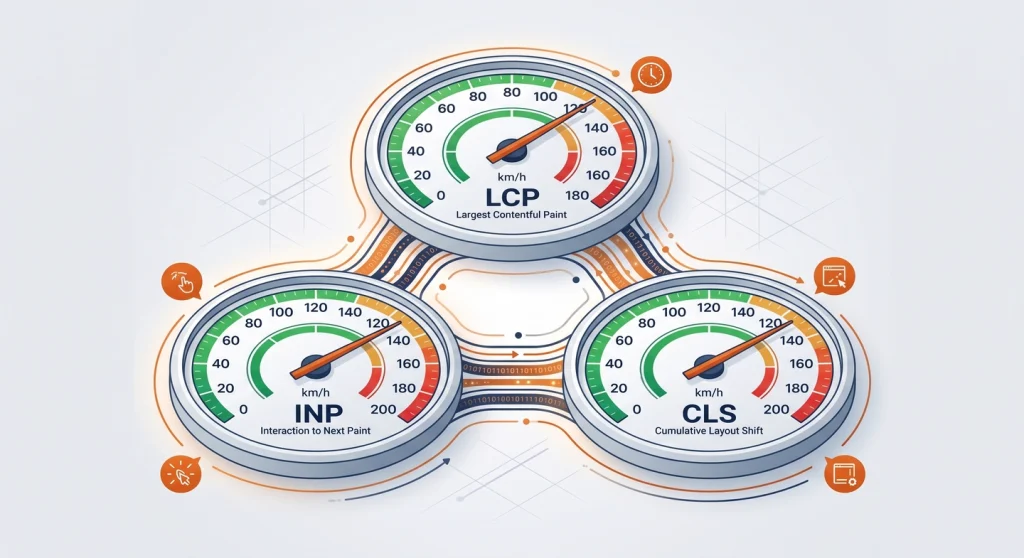
Google uses three specific metrics to judge your site’s real-world performance. Not server benchmarks. Not synthetic scores. Actual data from real visitors using Chrome.
Largest Contentful Paint (LCP) measures how long it takes for the biggest visible element — usually a hero image or heading block — to fully render. Google wants this under 2.5 seconds. Anything above 4 seconds is flagged as poor.
Interaction to Next Paint (INP) tracks how responsive your site feels when someone taps a button, clicks a link, or interacts with a form. The threshold is 200 milliseconds. Heavy JavaScript from page builders and plugins is the usual culprit when WordPress sites fail this one.
Cumulative Layout Shift (CLS) measures visual stability — those annoying moments when text jumps around because an ad or image loaded late. You want a CLS score below 0.1.
Here is the uncomfortable reality for WordPress. A significant share of WordPress sites on mobile still fail one or more Core Web Vitals. Depending on the data source, roughly half of all WordPress mobile sites do not pass all three thresholds. That means a huge number of WordPress sites are leaving performance points on the table.
| Metric | What It Measures | Good Threshold | Common WordPress Culprit |
|---|---|---|---|
| LCP | Loading speed of largest element | Under 2.5s | Unoptimized hero images, slow hosting |
| INP | Responsiveness to user interaction | Under 200ms | Heavy JS from plugins and page builders |
| CLS | Visual stability during load | Under 0.1 | Missing image dimensions, late-loading ads |

How Page Speed Affects Bounce Rate, Conversions, and Crawl Budget
Speed is not just a ranking signal. It shapes how people behave on your site and how efficiently Google can crawl it.
Bounce rate climbs fast. I have seen it firsthand — pages that take more than three seconds to load on mobile lose visitors before the content even appears. Research from Google consistently shows that as load time increases from one to three seconds, the probability of a bounce rises by 32%.
Conversions drop with every extra second. Whether you are selling a product, collecting email subscribers, or just trying to get someone to read your article, speed matters. A 0.1-second improvement in mobile load time can lift conversion rates by up to 8%. That is not a rounding error.
Crawl budget gets wasted on slow pages. This one is less obvious but just as important. Google allocates a crawl budget to every site — a limit on how many pages Googlebot will fetch in a given timeframe. If your pages are slow, Googlebot spends more time per page and crawls fewer of them. For a small blog, this might not matter much. But if you have hundreds of posts, slow speeds mean some of your content simply does not get indexed as quickly.
So when someone tells you “speed is just one of many ranking factors,” they are technically right. But they are missing the cascade. Speed affects user behaviour, user behaviour affects engagement signals, engagement signals affect rankings, and slow crawling affects indexation. It is all connected.
Mobile-First Indexing and Why It Raises the Stakes
Google has fully shifted to mobile-first indexing, which means the mobile version of your site is what Google evaluates for rankings — even for desktop search results.
This matters because WordPress sites tend to perform worse on mobile than desktop. Those Core Web Vitals numbers I mentioned? They are mobile numbers. Your desktop score might look fine while your mobile score is failing.
If you are testing your site speed and only checking the desktop tab in PageSpeed Insights, you are looking at the wrong data. Mobile is where Google is watching, and mobile is where most of your readers are browsing.
The Rise of AEO: Answer Engine Optimization Changes the Game
Here is where things get really interesting. Traditional SEO is about ranking in a list of ten blue links. But a growing share of search traffic never reaches those links at all.
Answer Engine Optimization (AEO) is the practice of structuring your content so that AI-powered engines — Google AI Overviews, Perplexity, ChatGPT Search, and Bing Copilot — can extract, cite, and surface your answers directly. Think of it as an additional layer on top of SEO, not a replacement.
Industry analysts have estimated that up to a quarter of organic search traffic could shift to AI chatbots and virtual assistants. That shift is already well underway. When someone asks Perplexity a question and gets a cited answer from your blog, that is AEO working.
But what does speed have to do with AEO? More than you might expect.
AI engines tend to favour content from sites that are already performing well in traditional search — sites with strong authority, clean structure, and yes, fast loading times. A slow site with poor Core Web Vitals signals lower quality to Google, which means it ranks lower, which means AI engines are less likely to encounter and cite it. Speed is the foundation that everything else sits on.
How AEO Differs from Traditional SEO
| Aspect | Traditional SEO | AEO |
|---|---|---|
| Goal | Rank in search results | Get cited by AI engines |
| Content format | Keyword-optimized pages | Direct-answer paragraphs, structured data |
| Key signals | Backlinks, keyword relevance, page speed | Schema markup, FAQ sections, concise answers |
| User interaction | Click through to your site | Answer displayed without a click |
| Voice search | Less relevant | Highly relevant — AI reads answers aloud |
The practical takeaway: you need both. SEO gets your content indexed and ranked. AEO gets it cited and spoken. And speed is the foundation for both.
I will cover AEO strategies in depth in Part 9 of this series, including schema markup, FAQ structuring, and how to write citation-ready content. For now, know that it starts with a fast, well-structured site.
Setting a Baseline: How to Audit Your WordPress Performance
You cannot improve what you do not measure. Before changing anything on your site, run these three audits to understand where you stand.
1. Google PageSpeed Insights
Go to PageSpeed Insights and enter your homepage URL. Check the mobile tab first — that is what Google uses for ranking decisions. Look at your LCP, INP, and CLS scores. If any metric is yellow or red, that is where your optimization work should start.
The field data section at the top is more important than the lab data below it. Field data comes from real Chrome users visiting your site. Lab data is a simulation.
2. GTmetrix
GTmetrix gives you a waterfall chart showing exactly what loads, in what order, and how long each resource takes. I find it particularly useful for spotting which plugins or scripts are adding the most weight. The free version is enough to get started.
3. Google Search Console
Log in to Google Search Console and navigate to the Core Web Vitals report under the Experience section. This shows you site-wide trends over time — not just a single page snapshot. If you see a cluster of URLs flagged as “poor” or “needs improvement,” those are your priorities.
What to Record
Before you start optimizing, write down these numbers for your homepage and your most-visited post:
- LCP (in seconds)
- INP (in milliseconds)
- CLS (score)
- Overall PageSpeed score (mobile)
- Fully loaded time from GTmetrix
These become your “before” measurements. Every change you make in this series should move these numbers in the right direction.

What Is Coming Next in This Series
This article sets the foundation. In the remaining 10 parts, I will cover every layer of WordPress speed and SEO optimization:
- Part 2: Choosing the right hosting for WordPress performance
- Part 3: Theme and plugin audit — cutting the dead weight
- Part 4: Image optimization — the biggest quick win
- Part 5: Caching strategies with WP Rocket, FlyingPress, LiteSpeed Cache, and W3 Total Cache
- Part 6: Taming CSS, JavaScript, and render-blocking resources
- Part 7: Database optimization and cleanup
- Part 8: On-page SEO fundamentals for WordPress
- Part 9: AEO — optimizing for AI Overviews, Perplexity, and ChatGPT Search
- Part 10: Technical SEO — crawlability, indexing, and site architecture
- Part 11: Measuring what matters — analytics and continuous improvement
Each article builds on the previous one, so I would suggest following along in order. But if you already know your hosting is solid and want to jump to image optimization, that works too.
FAQ’s about WordPress Speed and SEO
Does WordPress speed directly affect SEO rankings?
WordPress speed directly affects SEO rankings through Google’s Core Web Vitals, which are a confirmed ranking signal. Sites that pass all three metrics — LCP, INP, and CLS — have a measurable advantage, especially in competitive niches where content quality between sites is similar.
What is a good PageSpeed score for a WordPress site?
A good PageSpeed score for a WordPress site is 90 or above on mobile. However, the individual Core Web Vitals metrics matter more than the overall score. Focus on getting LCP under 2.5 seconds, INP under 200 milliseconds, and CLS below 0.1 — those are the numbers Google actually uses for ranking.
What is Answer Engine Optimization and why should I care?
Answer Engine Optimization is the practice of structuring content so AI-powered search tools can extract and cite your answers directly. With a growing share of organic traffic shifting to AI assistants, AEO ensures your WordPress content appears in Google AI Overviews, Perplexity, ChatGPT Search, and Bing Copilot — not just traditional search results.
Can a slow WordPress site still rank well?
A slow WordPress site can still rank if the content quality and backlink profile are strong enough. But it is working against a headwind. Core Web Vitals act as a tiebreaker between similarly authoritative pages, and poor speed increases bounce rates, which sends negative engagement signals back to Google.
How often should I audit my WordPress site’s performance?
You should audit your WordPress site’s performance at least once a month using Google Search Console’s Core Web Vitals report and quarterly with a full PageSpeed Insights and GTmetrix review. Any time you add a new plugin, change themes, or update WordPress core, run an immediate check — these changes can silently degrade performance.