For years I treated WordPress category and tag pages as plumbing. They existed so visitors could browse, and that was the end of my thinking about them. I never wrote a description, never checked if they ranked, never even looked at whether Google was indexing them.
Then I pulled a Search Console report and found something annoying. A thin tag page with three posts on it was competing with my own articles for the same query. I was fighting myself.
That’s when I started treating these pages as real pages. Some of them I turned into proper landing pages. Others I told Google to ignore completely. This is the guide I wish I’d had back then — how to decide which is which, and how to optimize the ones worth keeping.
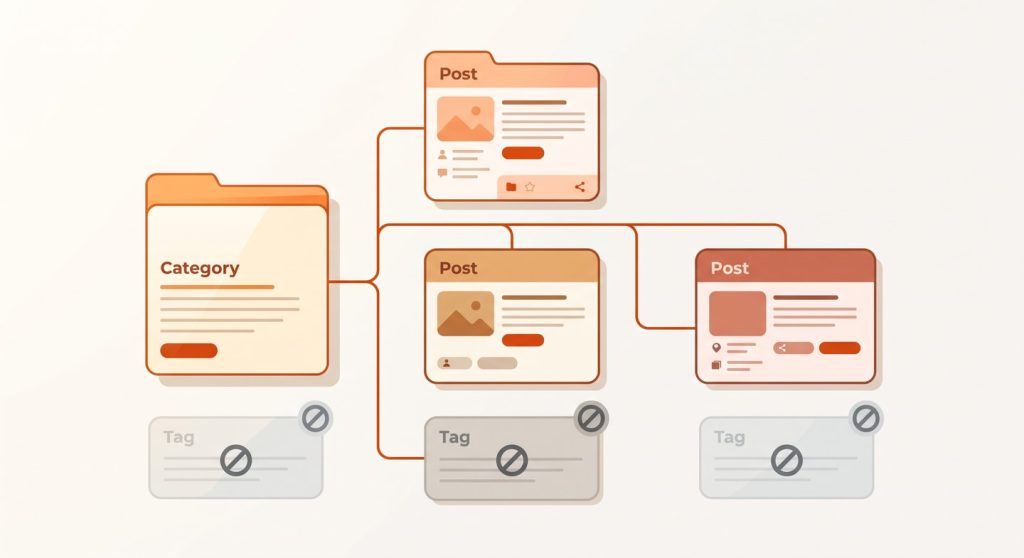
Table of Contents
What Are WordPress Category and Tag Pages?
WordPress category and tag pages are automatically generated archive pages that list every post assigned to a given category or tag. WordPress creates them for you, each with its own URL, the moment you add a category or tag — whether you optimize them or not.
The key word there is automatically. You don’t build these pages. WordPress spins them up in the background, which means most blogs are quietly publishing dozens of them with no description, no real content, and no plan. That’s the problem we’re fixing.
A category groups posts by broad topic — think “SEO” or “WordPress.” A tag describes a specific detail that might cut across categories — think “Rank Math” or “Core Web Vitals.” Categories are your table of contents. Tags are the index at the back of the book.
Why These Pages Matter More Than You Think
Category archives can rank as landing pages for broad, high-volume search terms — the kind your individual posts are usually too specific to win. A well-built “SEO” category page can target the head term while each post underneath it goes after a long-tail variation. That division of labour is the whole point of taxonomy SEO, and it only works if you set it up deliberately.
Here’s the part most bloggers miss. Left unoptimized, these pages don’t just sit there harmlessly — they actively work against you.
Thin archives get crawled, indexed, and then judged as low-value content, which can drag on how Google sees your whole site. The fix isn’t to ignore them. It’s to either make them good or take them out of the index.
If you run a store, this matters even more. On an e-commerce site, category pages are the money pages — they’re where shoppers land from a broad search and start browsing. The same logic applies to a blog, just with articles instead of products.

Categories vs Tags: The SEO Difference
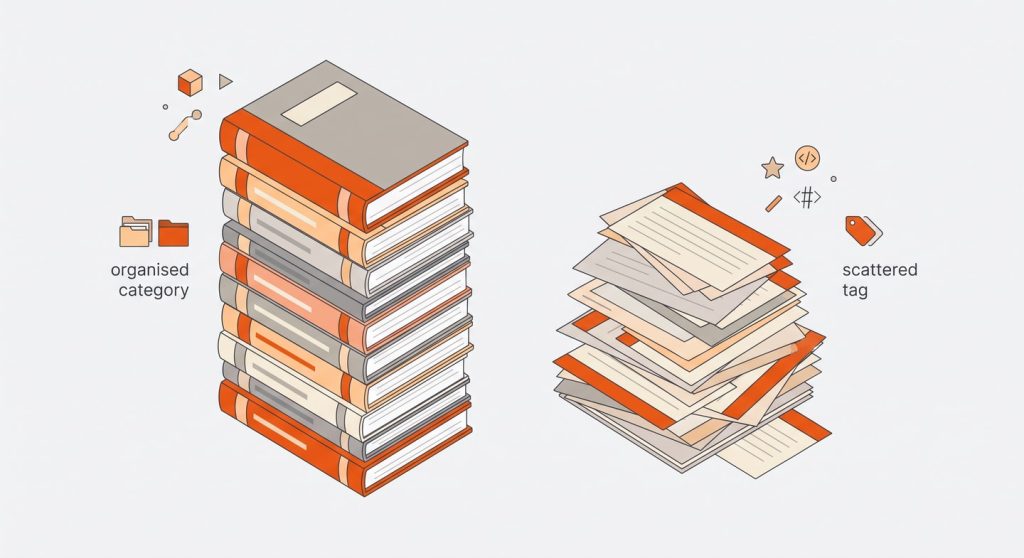
Before touching settings, get the mental model right. Mixing these up is where most taxonomy problems start.
| Categories | Tags | |
|---|---|---|
| Purpose | Broad topic buckets | Specific cross-cutting details |
| How many per post | 1 (sometimes 2) | 0–4, only if genuinely useful |
| Ideal total on site | 5–10 main ones | As few as you can manage |
| SEO value | High — worth ranking | Usually low — often noindexed |
| Think of it as | Book chapters | Back-of-book index |
The single most common mistake I see is treating tags like a hashtag dumping ground. A new blogger writes one post, slaps eight tags on it, and now there are eight thin archive pages — each holding exactly one post.
Google sees eight pages of duplicate content with no unique value. Every tag you create is a new page Google has to crawl and judge. Use them sparingly, or not at all.
Should You Index or Noindex? A Decision Framework
This is the question that actually moves the needle, so let’s be clear about it.
Noindex is an instruction that tells search engines to leave a page out of their index — it won’t show up in results, even though visitors can still browse it. Google documents exactly how this noindex directive works, and in WordPress you set it per archive type with an SEO plugin.
The lazy advice you’ll read everywhere is “noindex all tags, index all categories.” That’s a fine default, but it skips the real decision. Here’s how I actually decide.
- Index a category if you’ve given it a real description and it could plausibly rank for a topic people search. My “SEO” category earns its place.
- Noindex a category if it’s thin, overlaps heavily with another, or exists purely for internal organization.
- Noindex tags by default. Most tag pages are too thin to rank and only invite duplicate-content problems.
- Index a tag only if it’s genuinely become a hub — lots of posts, a written description, and search demand behind the term.
In practice, on MetaBlogue I index a small handful of categories and noindex nearly everything else. When you noindex an archive, also exclude it from your XML sitemap so you’re not inviting Google to crawl a page you’ve told it to ignore.
Curate Your Tags: Index Only the Ones You Choose
The bullet above hides the most useful tactic, so let me pull it out. Don’t treat tag indexing as all-or-nothing. Set tags to noindex by default, then hand-pick the few that have earned a place in the index.
How do you decide which ones? Let activity make the call. Once or twice a year I look at each tag against a simple test:
- Post count — does it hold enough posts (say, 8–10+) to be a genuine hub, not a thin page?
- Search demand — does anyone actually search the term? A quick check in Google Search Console or a free keyword tool tells you.
- Traffic it already gets — is the tag archive itself pulling impressions or clicks in Search Console? If Google already likes it, that’s your signal.
A tag that passes all three gets a real description and stays indexed. Everything else stays noindexed. This way you build a small set of deliberately chosen tag pages — each one a curated landing page — instead of a hundred thin archives Google has to wade through. It’s the same planning discipline you’d apply to a keyword research shortlist, just pointed at your own taxonomy.
A concrete example from MetaBlogue: I publish reading series — a set of related articles meant to be read in order, like WordPress Speed Optimization Series. I connect each series with its own series tag, so the tag archive becomes the one page that gathers every article in that series. Those are exactly the tags I index on purpose.
The series tag holds a real cluster of posts, I give it a proper description, and I want it to rank for the broad topic the series covers. So while my default for tags is noindex, my series tags are the deliberate exception — each one is a curated landing page doing real SEO work, not a thin afterthought.
Setting noindex in Rank Math

MetaBlogue runs on Rank Math, so here’s the exact path. Go to Rank Math → Titles & Meta → Categories (and then Tags). Each has its own panel where you can toggle the robots meta to noindex and decide whether the archive appears in your sitemap.
Set your site-wide default there, then override individual taxonomy terms one at a time if you need to — that per-term override is exactly how you keep your chosen tags indexed while the default stays noindex. If you’re on Yoast or SEOPress instead, the same controls live under their search-appearance settings.

What About Paginated Archive Pages?
This one worries people more than it should. When a category holds more posts than fit on one screen, WordPress splits it into pages — /category/seo/, then /category/seo/page/2/, /page/3/, and so on. Each shows the same kind of post snippets and the same layout, so the natural fear is that Google will see duplication and mark you down.
Here’s the reassuring part: Google handles pagination fine on its own. Its systems have moved well past the days of needing rel="next" / rel="prev" hints — Google now understands paginated sequences on its own and rarely confuses page 2 of an archive with thin or duplicate content. For most blogs, the honest answer is that you don’t need to do anything special. Leave pagination indexed and Google will sort it out.
So treat the next part as optional — a tactic for the reader who’d still rather tidy this up.
If you’d rather index only page one
If you want tighter control over what appears in search, you can index only page one of each archive and noindex the rest. Page one is your landing page — that’s where your description and best posts live — while pages 2, 3, and beyond exist for navigation, not for ranking.
The goal here is noindex, follow on paginated pages — keep them out of search results, but still let Google follow the links so it can reach every post in the archive.
In Rank Math the toggle is built in. Go to Rank Math → Titles & Meta and turn on “Noindex paginated archive subpages.” There’s a separate option, “Noindex Paginated Single Pages,” which does the same for multi-page single posts if you ever split a long article across pages. Flip the archive one on and page 2 onward drops out of search while page one keeps ranking.
Two caveats if you go this route. Don’t set a canonical from page 2 back to page 1 — Google treats each paginated page as its own URL, and pointing the canonical at page 1 misrepresents what’s on the page. And because Google eventually treats a long-term noindex page as nofollow too, make sure your posts stay reachable by other routes (your menus, internal links, and sitemap already handle this), so nothing gets stranded.
How to Optimize the Category Pages Worth Keeping
Once you’ve decided a category stays indexed, treat it like any other page you want to rank.
Write a real description. This is the single biggest lever. WordPress gives every category a description field, but it sits empty by default and most themes don’t even display it. Aim for 150–300 words of genuinely useful copy that explains what the category covers and links to your best posts inside it. Not keyword stuffing — an actual intro a human would read.
Set a focused SEO title and meta description. Rank Math lets you set a template for all category titles and override individual ones. Target the broad keyword here, not the long-tail phrases your posts already own.
Fix the slug. Category URLs should be short, lowercase, and readable — /category/seo/ beats /category/search-engine-optimization-tips/. One caution from experience: don’t rename slugs on an established site without setting up redirects, or you’ll snap every existing link and lose the rankings you built. On a new site, get it right the first time and leave it alone.
Add breadcrumbs. Breadcrumb navigation reinforces your site structure for both readers and search engines, and it gives category pages a clear place in the hierarchy. Most modern themes — GeneratePress included — offer breadcrumbs, or your SEO plugin can output them.
Build a Layout That Actually Looks Like a Landing Page
Here’s the step most guides skip entirely. You can write the perfect description and still end up with a page that reads like a database dump — title, then a plain chronological list of post links, and nothing else. That’s not a landing page. That’s an archive. If you want a category to rank and convert like a landing page, it has to look like one.
This is where the default theme template falls short, and where a little custom work pays off. On MetaBlogue I replaced the stock archive with a custom category.php in my GeneratePress child theme, and it builds the page out of a hero header plus three distinct post zones:
- Hero header — the category title and its full description shown up top, large and prominent, so the SEO copy I wrote is actually visible to readers instead of hidden by the theme. I also show the article count here.
- Featured post — the first post renders as one full-width editorial card with a large image, a “Featured” label, the excerpt, and reading time. It anchors the page the way a hero section anchors a landing page.
- Card grid — the next six posts drop into a clean three-column grid of cards. Scannable, visual, and far more inviting than a wall of text links.
- List rows — everything after that falls into alternating image-left / image-right rows, so longer archives still have rhythm instead of turning into an endless list.
The point isn’t to copy my exact zones. It’s the principle: combine a few different display elements so the page has hierarchy and visual interest.
A featured slot tells the reader where to start. A card grid invites browsing. The mix turns a passive list into something that feels designed. If you’re comfortable in a child theme, a custom category.php is the cleanest way to do it; if not, several GeneratePress and block-based setups can get you most of the way with template parts. Either way, the goal is the same — make the category look like a destination, not a directory.

Avoid Keyword Cannibalization
Keyword cannibalization happens when two of your own pages compete for the same search term, so Google can’t tell which to rank and often ranks neither well. Category and tag archives are a classic source of it.
The fix is to keep their jobs separate. Let the category page target the broad head term — “WordPress SEO” — while each post underneath targets something specific — “how to noindex tag pages in Rank Math.” When you assign that post to the category and link between them, you reinforce the category’s authority instead of stealing from it. A category should rank for the topic; its posts should rank for the questions.
Getting this split right is really a question of matching each page to what the searcher wants, which is why it helps to read your archives and posts through the lens of search intent. The category serves the broad, still-browsing searcher; the post serves the specific one who already knows what they’re after.
This is also where smart internal linking pays off. Linking related posts to each other within a category strengthens the whole cluster — the exact pillar-and-cluster approach I cover in my guide on internal linking strategy for WordPress blogs.
Clean Up the Mess You Already Have

If your blog is more than a year old, you almost certainly have taxonomy clutter. I did. Here’s the cleanup I run.
- Rename “Uncategorized.” The default category is a wasted, meaningless URL. Rename it to something real or reassign its posts and remove it from use.
- Merge duplicates. Pick singular or plural and commit — don’t run both a “tip” and “tips” tag. Decide between “recipe” and “recipes” once, for everything.
- Delete single-use tags. Any tag attached to just one post is a thin page with no reason to exist. Bulk-delete them.
- Cap your categories. If you’ve got 30 categories, most are doing nothing. Consolidate down to 5–10 that genuinely describe your content.
When you delete a category or tag, the posts stay safe — only the archive page goes away. So this cleanup carries far less risk than people fear.
Conclusion
The takeaway is simple: stop letting WordPress publish dozens of empty archive pages on autopilot. Decide which categories deserve to rank, give those a real description and a clean slug, and noindex the thin tag pages that only cause problems.
Start with one thing this week — open Search Console, find a tag page that’s competing with your posts, and noindex it. That single fix taught me more about taxonomy SEO than any guide did.
FAQ’s about WordPress Category and Tag Pages
Should I noindex WordPress tag pages?
Noindex WordPress tag pages in most cases. Tag archives are usually thin, hold only a few posts each, and tend to create duplicate-content issues. Keep a tag indexed only if it’s become a genuine content hub with a written description and real search demand behind the term.
How long should a WordPress category description be?
A WordPress category description should run roughly 150–300 words. That’s enough to explain what the category covers, work in the target keyword naturally, and link to your best posts inside it — without padding it into something no one would actually read.
Are categories or tags better for SEO?
Categories are better for SEO than tags. Categories group your content into broad, rankable topics and make strong landing pages, while tags describe narrow details and rarely hold enough unique content to rank. Optimize a few categories well and treat tags as optional navigation.
Will deleting categories or tags hurt my SEO?
Deleting categories or tags does not delete your posts — only the archive page disappears. The main risk is broken links if that archive had inbound links or rankings, so set up a redirect for any deleted page that mattered. Otherwise, removing thin taxonomy pages usually helps more than it hurts.
Should category pages be in my sitemap?
Category pages should be in your sitemap only if they’re indexed. If you’ve set a category to noindex, exclude it from the XML sitemap too — otherwise you’re inviting Google to crawl a page you’ve already told it to ignore, which sends a mixed signal.
Should I noindex paginated category and tag pages?
You usually don’t need to. Google’s algorithms handle pagination well on their own and rarely treat page 2 of an archive as duplicate content, so leaving paginated pages indexed is perfectly fine for most blogs. If you’d still prefer tighter control, you can keep page one indexed and set page 2 onward to “noindex, follow” — in Rank Math, enable “Noindex paginated archive subpages.” Just don’t canonical page 2 back to page 1.