
You ask the AI to fix one validation bug. It fixes the bug — then renames three functions, reformats a file you never opened, and swaps your date library for one it likes better. The bug is gone. So is your afternoon.
I have lived this more times than I want to admit. The code “works”, but the diff is twice the size it should be, and now I have to read every line to figure out what actually changed. That is AI slop. Not broken code — unrequested code.
The fix is not a better prompt every single time. It is a set of AI coding ground rules you write down once, before the AI touches anything. In this article I will share the exact rules I put in every AGENTS.md, why each one earns its place, and a block you can paste straight into your own project.
What Are AI Coding Ground Rules?
AI coding ground rules are the behavioural limits you write into your AGENTS.md before any work begins — instructions that tell the AI to do only what you asked, change as little as possible, and check with you before expanding scope. They sit alongside your project conventions and apply to every session.
Think of them as the difference between what your project is and how the AI is allowed to behave inside it. Your conventions describe the codebase. Your ground rules describe the restraint.
I covered the file setup itself in how to add guardrails to your AI coding project — which files to create and where they live. This article is the layer most people skip: the actual rules that go inside them.
Why Setup Files Alone Don’t Stop AI Slop
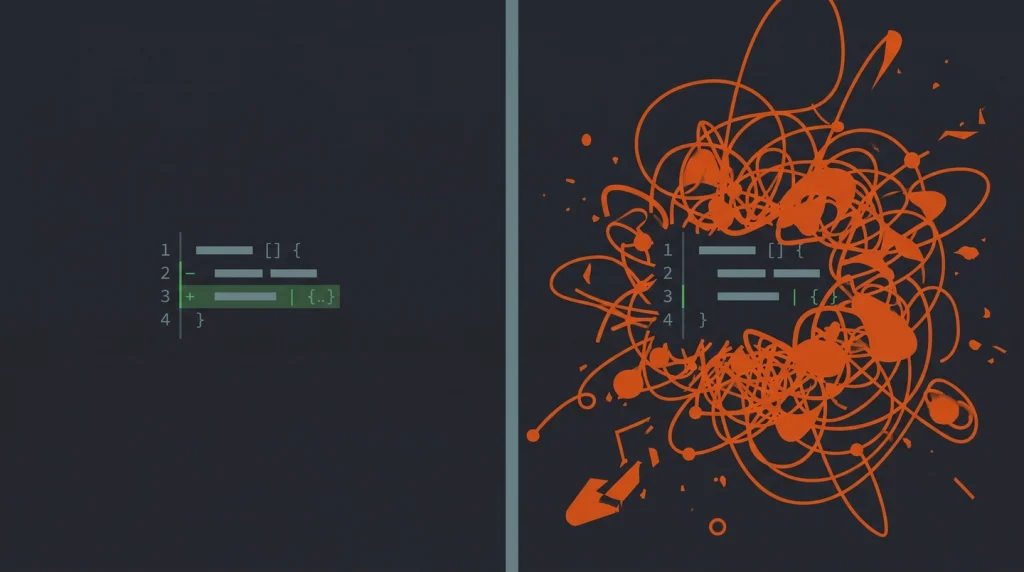
Most advice on this problem points you at git. Commit before you prompt, branch first, never click “Accept All”, revert when it goes wrong. All good habits — I use every one of them.
But notice what they have in common. Every one of those tactics is a safety net you deploy after the AI has already misbehaved. They help you recover from slop. They do nothing to prevent it.
Ground rules work at the other end. They shape the AI’s behaviour before the first edit, so there is less to recover from. Git is your undo button. Rules are the reason you reach for it less often. You want both, but the rules are the part almost nobody writes down.
So, let’s look at the ones that actually move the needle.

The Ground Rules I Put in Every AGENTS.md
These are not theoretical. Each one came from a session that went sideways and a note-to-self so it would not happen again.
Rule 1 — Do only what I asked
The single most useful instruction I have ever written is some version of “make the requested change and nothing else.”
AI tools are eager to help, and that eagerness is the problem. Ask for a bug fix and many models will throw in a refactor, a rename, and a “while I was here” cleanup. Spell it out: fix the thing in front of you, leave everything else alone. If it spots something worth improving, it can mention it — not do it.
Rule 2 — Ask before expanding scope
Sometimes the task genuinely is bigger than it looked. A “small” fix turns out to need a new helper, a config change, or a touch to a shared file. That is fine. What is not fine is the AI deciding that on its own.
The rule I use: if the work grows beyond what I described, stop and ask first. A two-line question before a 200-line detour saves both of us. This one change turns scope creep from something I discover in the diff into something I approve up front.
Rule 3 — Propose big architecture changes, don’t make them

Now and then the right answer really is a structural change — splitting a module, swapping a pattern, restructuring how data flows. I want the AI to tell me when it sees that. I do not want it to just do it.
So the rule is explicit: for anything that changes architecture, file structure, or a core dependency, describe the suggestion and wait for my go-ahead. I get the benefit of its judgement without waking up to a rewrite I never signed off on.
Rule 4 — Make the smallest change that works
A change that touches four lines is easy to review. A change that touches forty, where thirty-six are reformatting, is not. I tell the AI to prefer the minimal diff — solve the problem with the least disruption to existing code, and leave unrelated lines untouched.
This matters more than it sounds. Smaller diffs are not just tidier — they are the only diffs a human can actually review properly. When the change is small, you read all of it. When it is huge, you skim, and skimming is how bad code reaches production.
Rule 5 — Match the surrounding code
Slop is not only about quantity. It is also about code that does not look like yours — different naming, different patterns, a library you never use. I add a rule to read the nearby code first and match its style, naming, and structure rather than importing habits from somewhere else.
Rule 6 — Explain deletions before making them
AI tools are confident about adding code and careless about removing it. A deleted dependency or a quietly dropped config line is one of the more dangerous things that can slip through. My rule: if something needs to be removed, say what and why before doing it, so I can catch a bad call before it lands.

A Copy-Paste Ground Rules Block
Here is the block I drop near the top of a fresh AGENTS.md. Adjust the wording to your project, but the intent should carry across cleanly to Claude Code, Cursor, Copilot, or any other tool that reads it.
## Ground Rules for AI Assistants

- Do only what I explicitly asked. Make the requested change and nothing else.
- Do not refactor, rename, reformat, or "clean up" code I did not ask you to touch.
- If the task needs work beyond what I described, stop and ask before expanding scope.
- For any architecture, file-structure, or core-dependency change, propose it and
  wait for my approval. Do not apply structural changes on your own.
- Prefer the smallest change that solves the problem. Keep diffs minimal and
  leave unrelated lines untouched.
- Read the surrounding code first and match its style, naming, and patterns.
- Before deleting anything (code, dependencies, config), explain what and why.
- When unsure, ask a short question instead of guessing.
In practice, the line that earns its keep fastest is the very first one. Add just “do only what I asked, nothing else” to your config and you will feel the difference in the next session.
Rules Set the Intent, Git Sets the Safety Net

Ground rules cut down on slop. They do not eliminate it, because no instruction is followed perfectly every time. That is where the git habits everyone recommends come back in — and they are worth doing.
Commit before you start a prompt, so a clean checkpoint always exists. Work on a feature branch, not on main. Read the diff before you accept it, every file, and never trust a blanket “Accept All”. If the change feels wrong, reset and try a tighter prompt rather than piling on corrections.
Rules and git solve different halves of the same problem. Ground rules reduce how often the AI goes off-script; version control limits the damage when it does. Together they let you move fast without handing over the keys.
One more layer worth knowing about: ground rules govern what the AI writes, but not what it can read. Keeping secrets and credentials out of its reach is a separate job, which I cover in protecting your secrets from AI coding tools.
Set the Rules Before You Need Them
The best time to write these rules is on an empty project, before the AI has a chance to surprise you. Open your AGENTS.md, paste the ground-rules block, tweak it to fit, and let it do its work quietly in every session after.
If you are still setting up your tooling, start with getting started with Claude Code and add these rules on day one. You can always loosen them later — it is much harder to un-merge a refactor you never asked for.
FAQ’s about AI Coding
What is the most important AI coding ground rule?
The most important rule is “do only what I asked, and nothing else.” It directly targets the habit behind most AI slop — adding refactors, renames, and cleanups you never requested. If you add only one line to your AGENTS.md, make it this one, then layer the rest on top.
Where do I put AI coding ground rules?
AI coding ground rules go in your project’s instruction file — AGENTS.md is the emerging open standard, and tools like Claude Code also read CLAUDE.md. Place the rules near the top so they are read early in every session. Most modern AI coding tools pick these files up automatically from the project root.
Do ground rules work with Cursor and GitHub Copilot too?
Ground rules work with any AI tool that reads a project instruction file, including Cursor and GitHub Copilot. The wording stays mostly the same; only the filename changes per tool. Keep one source of truth and point each tool at it where possible, so you are not maintaining three copies of the same rules.
Will ground rules slow the AI down?
Ground rules add a little friction by design — the AI may pause to ask before expanding scope. That trade is worth it. A short question up front costs seconds; reviewing and unwinding an oversized, unrequested change costs far more time than it ever saves.
Can ground rules replace reviewing the AI’s code?
Ground rules cannot replace reviewing the code. They reduce how often the AI strays, but you still need to read every diff before accepting it. Treat rules as prevention and your review plus git history as the safety net — both are needed, neither alone is enough.