You just dumped your entire codebase into an AI prompt. The response? Generic nonsense that ignores half your instructions.
Sound familiar? The problem isn’t the AI model. It’s how much context you gave it — and when. Feeding an LLM everything at once is like handing someone a 300-page manual and asking them to fix your kitchen sink. They’ll skim, miss the important parts, and give you a mediocre answer.

Progressive disclosure for AI fixes this exact issue. By the end of this article, you’ll know exactly how to structure and layer your project information so AI tools give you sharper, more accurate output every time.
Table of Contents
What Is Progressive Disclosure for AI?
Progressive disclosure for AI is the practice of feeding context to a language model in stages — loading only the information relevant to the current task, and revealing deeper detail only when needed. It borrows from a decades-old UX design principle: show users the essentials first, and let complexity emerge on demand.
Instead of cramming everything into one massive prompt, you give the AI a focused starting point. As the task evolves, you layer in additional context. The model stays focused, your token costs drop, and output quality goes up.
Why Context Rot Destroys AI Output Quality
Every AI model has a context window — a fixed amount of text it can process at once. Fill that window with irrelevant information, and something predictable happens. The model loses focus.
This failure mode has a name: context rot. It’s the steady degradation of AI output quality as the context window fills with noise. The model doesn’t crash. It just gets worse — quietly.
Here’s what context rot looks like in practice:
- The AI ignores specific instructions buried deep in the prompt
- Responses become vague and generic instead of precise
- The model contradicts its own earlier output
- Code suggestions reference the wrong files or outdated patterns
Current transformer-based models struggle with attention allocation across large contexts. More tokens doesn’t mean more understanding. In many cases, giving an LLM more background information actually makes it perform worse at following instructions.
This is why progressive disclosure matters. You’re not withholding information from the AI. You’re protecting its ability to focus on what matters right now. If you’re already working on reducing your AI token usage, progressive disclosure is the structural technique that makes those savings stick.

The Three-Layer Model: Discovery, Activation, Execution
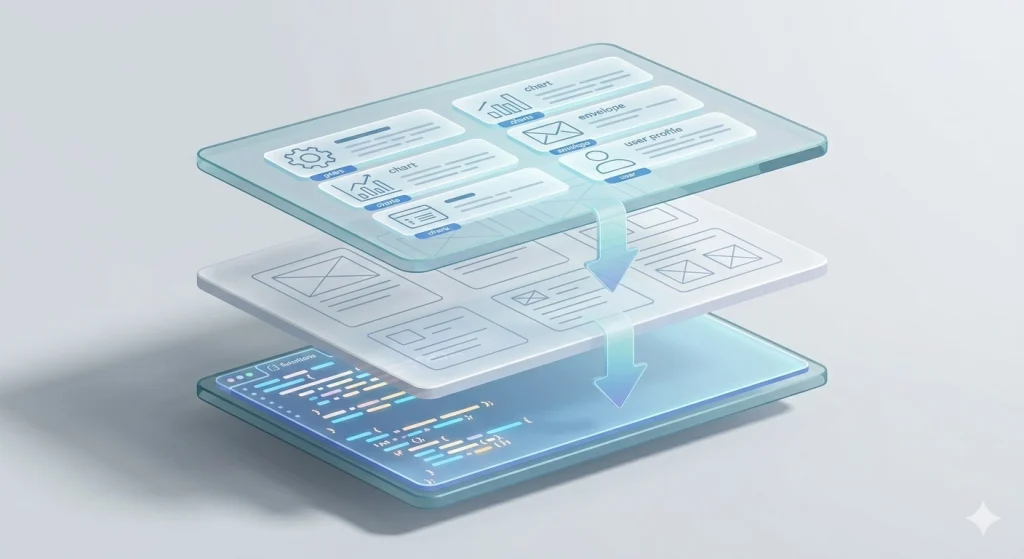
The most practical way to think about progressive disclosure for AI is a three-layer model. Each layer adds depth only when the task demands it.
Layer 1 — Discovery
The AI sees lightweight metadata only. Think of it as a table of contents. File names, short descriptions, token counts, and type labels. Nothing gets loaded in full.
At this stage, the model knows what exists without reading what it says.
Layer 2 — Activation
Once the AI identifies which resources matter for the current task, it loads the relevant instructions or documentation. Only those files. Everything else stays unloaded.
This is where your CLAUDE.md, project guidelines, or coding standards come in — but only the sections that apply to the job at hand.
Layer 3 — Execution
For deep-dive work, the AI pulls in raw source files, full documentation, or reference examples. This only happens when the model is actively working on a specific subtask that requires that detail.
| Layer | What Loads | Example |
|---|---|---|
| Discovery | Metadata and file index | “12 components exist in /src/ui/” |
| Activation | Relevant instructions and docs | “Button component uses design tokens from theme.ts” |
| Execution | Full source code and references | The actual Button.tsx file content |
This layered approach keeps the context window lean at every stage. The AI always has enough information to act — but never so much that it drowns.
How to Organize Your Project for Progressive Disclosure
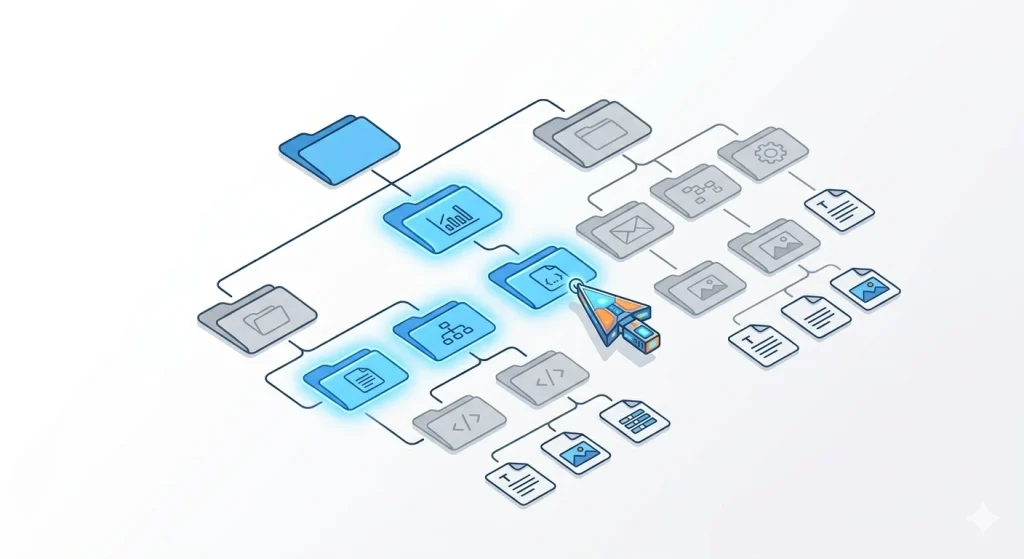
Progressive disclosure only works if your project files are structured to support it. Here’s how to set up a web project so AI tools can load context efficiently.
Keep Your Root Instruction File Short
Your CLAUDE.md, AGENTS.md, or copilot-instructions.md should be a signpost, not an encyclopedia. Aim for under 100 lines. It should tell the AI:
- What the project does (one paragraph)
- Where to find things (folder structure)
- What conventions to follow (naming, formatting, key patterns)
- Where deeper documentation lives
Everything else belongs in dedicated files the AI loads only when relevant.
Create a Structured Docs Directory
project-root/
├── CLAUDE.md              # Short orientation file (~100 lines)
├── docs/
│   ├── architecture.md     # System design overview
│   ├── api-conventions.md  # REST/GraphQL patterns
│   ├── testing-guide.md    # Test strategy and examples
│   ├── deployment.md       # CI/CD pipeline details
│   └── style-guide.md      # Code style rules
├── src/
└── ...
Each doc file covers one concern. The AI reads CLAUDE.md first, sees the docs index, and fetches only what the current task needs. Building a new API endpoint? It loads api-conventions.md. Writing tests? It loads testing-guide.md. Never both at once unless the task genuinely requires it.
Use Descriptive File Names and Front Matter
AI tools scan file names to decide relevance. doc3.md tells the model nothing. api-error-handling.md tells it everything.
Add a one-line description at the top of each file:
<!-- Guide for handling API errors: status codes, error response format, retry logic -->This acts as metadata the AI can evaluate without reading the full document — the discovery layer in action.
Separate Process from Reference
Keep your “how to do things” instructions separate from your “what things look like” reference material. Process files are small and loaded often. Reference files are large and loaded rarely.
docs/
├── process/
│   ├── how-to-add-component.md    # Step-by-step workflow
│   └── how-to-deploy.md           # Deployment checklist
└── reference/
    ├── component-library.md        # Full component catalog
    └── database-schema.md          # Complete schema docs

Techniques for Building AI Context in Web Applications
Beyond file organization, several techniques help you feed context to AI tools progressively when building web applications.
1. Layered Prompt Architecture
Structure your prompts in distinct layers, each adding specificity:
- System prompt — Role, personality, and global constraints
- Project context — Architecture decisions and conventions relevant to this session
- Task-specific instructions — The exact thing you need done right now
This mirrors how tools like Claude Code already work. The system prompt is always present. Project context loads from your CLAUDE.md. Task instructions come from your message. Each layer narrows the AI’s focus.
If you’re new to structuring prompts this way, start with writing better AI prompts and then apply the layered approach on top.
2. Index-First Loading
Give the AI a map before giving it the territory. Instead of loading all 20 component files, provide a component index:
## Component Index
- Button (src/ui/Button.tsx) — Primary action button with 4 variants
- Modal (src/ui/Modal.tsx) — Overlay dialog with focus trap
- DataTable (src/ui/DataTable.tsx) — Sortable table with pagination
The AI reads this index, identifies which components matter for the current task, and loads only those files. This single technique can cut token usage by 60–80% on large projects.
3. The Scout Pattern
Before diving into a complex task, send a lightweight “scout” query first. Ask the AI to identify what information it needs before doing the actual work.
Scout prompt: “I need to add authentication to my Next.js app. Look at the project structure and tell me which files you’ll need to see before making changes.”
The AI surveys the landscape and tells you what to provide. You load only those files into context. No wasted tokens on irrelevant code.
4. Phase-Based Context Loading
Break complex tasks into phases, and swap context between them:
- Phase 1 — Planning: Load architecture docs and the relevant feature spec. Output: a plan.
- Phase 2 — Implementation: Unload the spec. Load the specific source files from the plan. Output: code changes.
- Phase 3 — Testing: Unload implementation context. Load the testing guide and the changed files only. Output: tests.
Each phase gets a clean, focused context window. The AI performs better at each step because it’s not carrying baggage from the previous one.
5. Memory and Persistent Notes
Modern AI tools support persistent memory — information stored outside the context window that the model retrieves on demand. Claude Code uses a memory/ directory. Cursor stores project rules. GitHub Copilot reads instruction files.
Use memory for facts that rarely change:
- Project conventions and coding standards
- Team preferences and past decisions
- Architecture patterns and anti-patterns
Keep memory files small and focused. Each file should cover one topic. An AI tool can then pull in only the memory that matches the current task — progressive disclosure applied to long-term knowledge.
Progressive Disclosure in Popular AI Coding Tools
This isn’t a theoretical pattern. The most widely used AI coding tools already implement progressive disclosure under the hood.
Claude Code
Claude Code reads a short CLAUDE.md file at startup for project orientation. It uses a skills system that loads detailed instructions only when a specific skill is triggered. Memory files persist across sessions but load selectively. Sub-agents handle focused tasks with their own isolated context windows.
Cursor
Cursor uses .cursorrules and project-level rule files that load based on file patterns. Rules tagged to specific directories only activate when you’re editing files in those directories. The AI doesn’t carry rules for your backend when you’re editing frontend components.
GitHub Copilot
Copilot reads .github/copilot-instructions.md for project-level guidance. Its context window focuses on the currently open file and its immediate dependencies. It doesn’t try to load your entire repository — it progressively expands context based on what you’re actively working on.
| Tool | Root Config | Progressive Loading | Memory System |
|---|---|---|---|
| Claude Code | CLAUDE.md | Skills + sub-agents | memory / directory |
| Cursor | .cursorrules | Directory-scoped rules | Project rules |
| GitHub Copilot | copilot-instructions.md | Open file + neighbors | Instruction files |

When Progressive Disclosure Isn’t the Right Approach
Progressive disclosure isn’t a universal solution. Some tasks genuinely need all the context upfront.
Cross-cutting refactors that touch dozens of files need the AI to see the full picture. Progressively loading individual files would cause inconsistencies across the codebase.
Security audits require holistic analysis. You want the AI examining auth flows, data handling, and API boundaries simultaneously — not in isolation.
Small projects with fewer than 10–15 files don’t benefit much. The overhead of organizing layered context exceeds the cost of just loading everything.
The rule of thumb: if the task requires understanding relationships between many parts of the system at once, load more context. If the task is focused on one area, disclose progressively.
Frequently Asked Questions
What is progressive disclosure for AI?
Progressive disclosure for AI is a context management strategy where you feed information to a language model in stages rather than all at once. You start with lightweight metadata, load relevant instructions when needed, and pull in full source material only for active subtasks. This keeps the AI focused and reduces token costs.
How does progressive disclosure reduce AI token costs?
Token costs drop because the AI processes only the information it needs for each step. Instead of loading 50 files into context at once, you might load 3–5 per task phase. Fewer input tokens means lower API costs and faster response times. Combined with other token-saving strategies, this can cut your AI expenses significantly.
What is context rot in AI models?
Context rot is the gradual decline in AI output quality as the context window fills with irrelevant or excessive information. The model doesn’t fail outright — it starts ignoring instructions, producing generic responses, and making inconsistent suggestions. Progressive disclosure prevents context rot by keeping the context window lean and focused.
How do I set up CLAUDE.md for progressive disclosure?
Keep your CLAUDE.md under 100 lines. Include a one-paragraph project summary, folder structure overview, key conventions, and pointers to deeper documentation files. Don’t embed full guides or reference material. Let the AI load those separate files only when a task requires them.
Can I use progressive disclosure with any AI coding tool?
Yes. The principle works with any tool that accepts structured context — Claude Code, Cursor, GitHub Copilot, Windsurf, or direct API calls. The file organization and layered prompt techniques apply universally. Each tool has its own mechanism for loading context, but the underlying strategy is the same.